Showing posts with label widgets. Show all posts
Showing posts with label widgets. Show all posts
Monday, January 2, 2017
IP2Location™ Widgets
IP2Location™ Widgets
IP2Location™ Widgets
Free widgets to display visitor geolocation information on your website. Just copy and paste the widget code below into your webpages.
Information Box (Frame: 400x80) Horizontal HTML
1 | <iframe src="https://tools.ip2location.com/ib1" width="404" height="86" marginwidth="1"scrolling="no" frameborder="0"></iframe> |
Information Box (Frame: 200x160) Square HTML
1 | <iframe src="https://tools.ip2location.com/ib2" width="204" height="162" marginwidth="1"scrolling="no" frameborder="0"></iframe> |
Information Box (PNG 400x80) Horizontal Image

1 | Available link for download
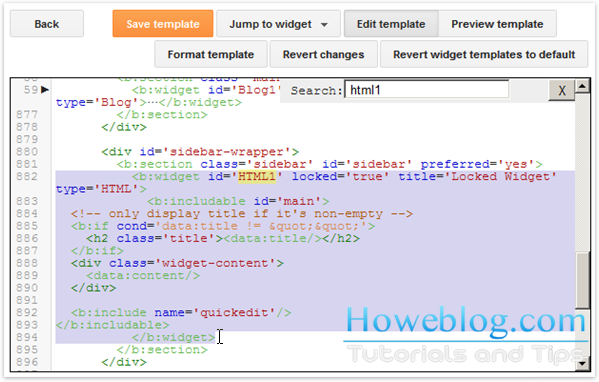
Wednesday, November 16, 2016Unremovable widgets in blogger SolutionUnremovable widgets in blogger SolutionUnremovable widgets in blogger - Solution  So whats the solution, simple, HTML trumps CSS. i.e. usually when you want to change a particular widget, you go to your Dashboard --> Layout then click on edit button corresponding to the widget to be changed. 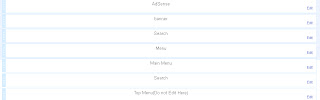 Youre then redirected to a pop-up which opens up the properties. Unlike usual widgets, they will not have a remove button. 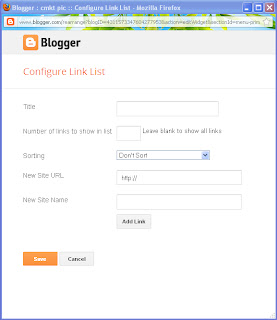 So heres the solution, Go to Dashboard ---> Template ---> Click on Customise and proceed. 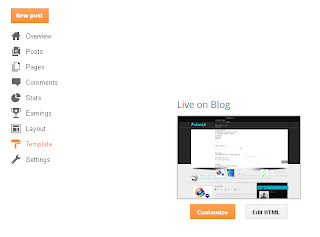 Recognize your widget name and change the parameter, locked=true to locked=false Now try the above process for any other widget. 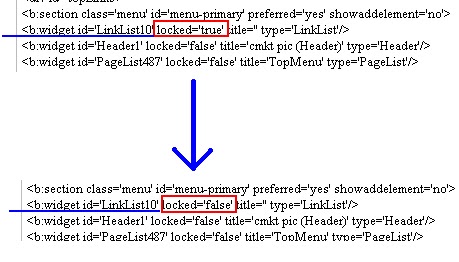 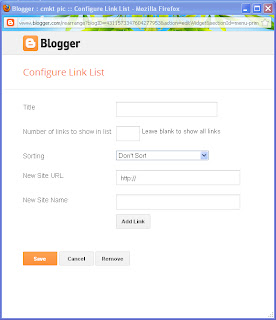 Option 2:After Step 2, remove all <b:widget... to </b:widget> section then Save template.
This was an article on Note:-As always, if you would like to leave a sensible comment, then please do so in the comments section below. Available link for download
Subscribe to:
Posts (Atom)
|