Showing posts with label email. Show all posts
Showing posts with label email. Show all posts
Thursday, February 16, 2017
How to Send Email with Password Protection in Gmail Yahoo and Outlook Encrypted mails
How to Send Email with Password Protection in Gmail Yahoo and Outlook Encrypted mails
Privacy on Internet in becoming so tough with the some Government laws in these days, Even some big companies which say that they are give high importance to their privacy are also bending to the Governments.
And there are some E-mail providers like Gmail who track the emails of their users to serve the targeted ads to them. So if you would like to tighten the security of your Emails then there are some best tools available on Internet which can help you to send the encrypted emails.
Before you start using these encryption software you need to know some basic about some terms which are often used.
Public Key: This is used to encrypt the data or message. You can share this key with any one.


Mailvelope is having a great and simple user interference. Sending Encryption mail using mailvelope is dead easy where even a small child can use it. And the best feature we love on mailvelope is no copying of the encrypted text or message from the email you received into mailvelope to decrypt the text or message.Mailvelope integrates directly into the user interference of almost all the web mail services.
 SendInc also lets you to also encrypt the attachments in your email. In basic you can get encrypt upto 10MB of attachments.If you want to encrypt more amount of data then you need to get a paid plan from SendInc.
And there are some E-mail providers like Gmail who track the emails of their users to serve the targeted ads to them. So if you would like to tighten the security of your Emails then there are some best tools available on Internet which can help you to send the encrypted emails.
Before you start using these encryption software you need to know some basic about some terms which are often used.
Public Key: This is used to encrypt the data or message. You can share this key with any one.
Mailvelope:
- Mailvelope Is one of the best encryption email service tool, which you can use it any where and protect your Emails from others spying on you.
- I love using Mailvelope because it works on all the three major email providers which are Gmail,Yahoo mail and OutLook and also GMX( I dont use this service regularly).
- Mailvelope is a open-source tool where any one can contribute to it. Mailvelope uses the OpenPGP encryption to safeguard your email.
Mailvelope is having a great and simple user interference. Sending Encryption mail using mailvelope is dead easy where even a small child can use it. And the best feature we love on mailvelope is no copying of the encrypted text or message from the email you received into mailvelope to decrypt the text or message.Mailvelope integrates directly into the user interference of almost all the web mail services.
Download Mailvelope:
Right Now Mailvelope is available as Chrome Extension you can get this from Here and for Firefox the Mailvelope is in testing stage.(At the time of writing this). You can also try it by downloading the add on from GitHub Download LinkSendinc:
This is a web based email service to encrypt the data. Sendinc uses the 256 bit Encryption code to safe guard your emails.This encryption is usually used by E-Commerce and Banking sites.In this web based email service your message is first encrypted with 256 bit encryption and sent to the SendInc Data centers so even the SendInc cant access your message on there servers as it is encrypted.SendInc then generates the Encryption key and sends to the recipients in the form of Link in your emailing list.When they click on that link they are redirected to other page where they can enter the password to decrypt the email.Available link for download

Thursday, January 19, 2017
Free Hosted Email Communication and Collaboration Services
Free Hosted Email Communication and Collaboration Services

Live@edu offers:
- Communication Services: Free, hosted email and calendaring with a 10 GB inbox and instant messaging through Outlook Live
- Collaboration Services: Ability to access, share and collaborate through SkyDrive, with free online storage space
- Productivity Services: Create, view, edit, and share Microsoft Word, Excel, PowerPoint, and OneNote files online with SkyDrive

Microsoft Outlook Live
Free hosted email with 10 GB inbox and a rich set of features- Use email through graduation and beyond
- Get 10 GB inbox, 18 MB attachments
- Protect email from spam & viruses
- Use instant messaging services with Outlook Live including audio and video with your chats, application sharing, file transfers, and more
- Use mailbox aggregation to aggregate other personal e-mail accounts within Outlook Live
- Get access to your email, contacts, and calendar from anywhere including a broad range of ActiveSynch enabled phones (examples: Windows Phone, iPhone, Android)


Microsoft Office Web Apps
Online companions to Word, Excel, PowerPoint & OneNote- Access, view and edit your online documents from home, the classroom, the library, or virtually any PC or Mac that is connected to the Internet
- Easily store files and documents online in a password protected environment
- View and perform basic editing functions on your online documents even if your computer doesn’t have Microsoft Office installed
- Control who has permission to view or edit any one of your documents
- Simultaneously edit documents (Excel spreadsheets and OneNote notebooks) with others in real-time and see exactly who is editing and viewing your documents
- Get the benefits of working with online documents using the familiar Microsoft Office experience
- When you need to access the additional rich features, it takes just one click from any Office Web App to open the file in the corresponding Microsoft Office program on your desktop
- Access and view your files from your mobile device
- Available for free through Microsoft SkyDrive
Visit http://explore.live.com/skydrive and http://office.microsoft.com/web-appsto learn about the latest feature updates on Microsoft SkyDrive and Microsoft Office Web Apps.
Read this blog to learn about new Office Web App features
Read this blog or watch this video to learn about new SkyDrive updates that make sharing Office docs even easier.
Back to Top

Microsoft SkyDrive
Free online storage- Get free online storage
- Store, access, and share thousands of documents, photos, and Microsoft Office files
- Access files from anywhere online and view photos from most web-enabled mobile phones anywhere you have Internet access
- Control who sees what with password protection
- Drag and Drop: Uploading content is as easy as dragging and dropping the files from your computer onto the Web (requires Microsoft Silverlight installed)
- Working on a project with classmates? With shared folders, the whole team can upload, download, and collaborate on documents and other files
Visit http://explore.live.com/skydrive and http://office.microsoft.com/web-appsto learn about the latest feature updates on Microsoft SkyDrive and Microsoft Office Web Apps.
Read this blog to learn about new Office Web App features
Read this blog or watch this video to learn about new SkyDrive updates that make sharing Office docs even easier.
Available link for download
Friday, January 6, 2017
theharvester Email Harvesting throughout year
theharvester Email Harvesting throughout year
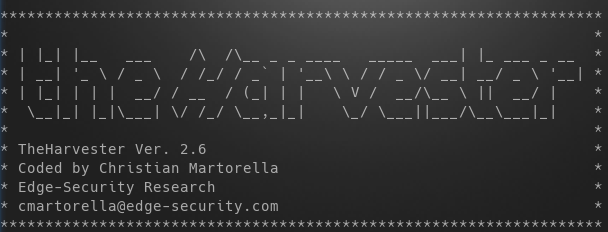
You might have harvested many things upto now but what we are going to harvest today is something bad :)
Requirements:
- A Linux box (Im using Kali Linux)
- theharvester program (already available in Kali Linux)
OK stop talking and start doing.
Fire up a terminal in your kali box and type this command:
theharvester -d hotmail.com -l 50 -b google
In a small amount of time youll see your terminal flooded with 200 hotmail.com email address. What does this command mean?
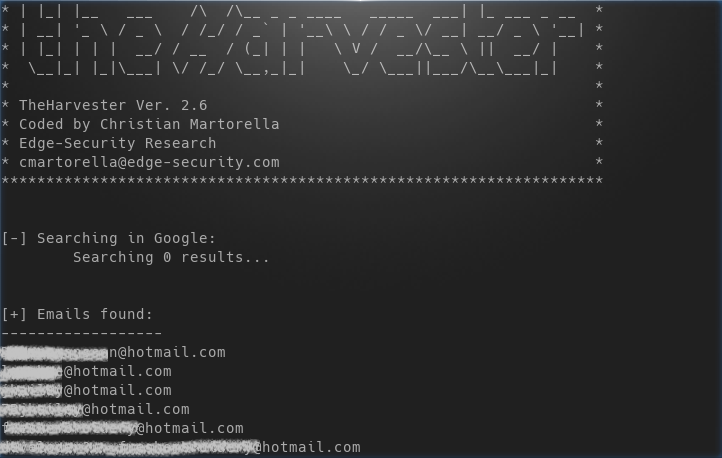
theharvester is the tool name that we are using
-d <domain_name> specifies the domain (or website) whos email addresses were looking for, in our case it was hotmail.com
-l <number> specifies the number of results that we want in the output, I limited it to 50
-b <source> specifies the source on which to look for email addresses, I specified google as the source
Besides google we can specify any of the follow as source:
google, googleCSE, bing, bingapi, pgp, linkedin, google-profiles, people123, jigsaw, twitter, googleplus, all
Here the last entry all means look in every available source.
Lets say you wanted to look in every available source they you should specify the following command:
theharvester -d hotmail.com -b all
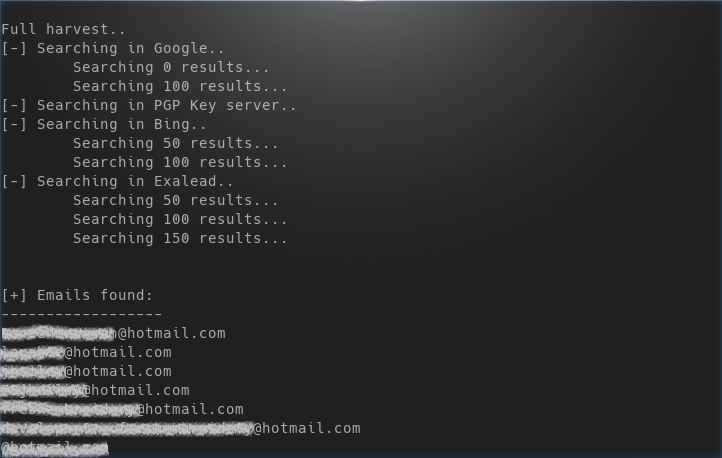
-f is another great flag which can be utilized to save the output in case we want to SPAM them later (just kidding) or for other reasons (Im thinking positive). -f flag saves the result in html or xml format. Lets do just that:
theharvester -d gmail.com -l 50 -b google -f emailaddresses.html
here -f flag is followed by the location where we want to store the file and the name of file, in our case we stored it in our pwd (present working directory) with the name emailaddresses.html.
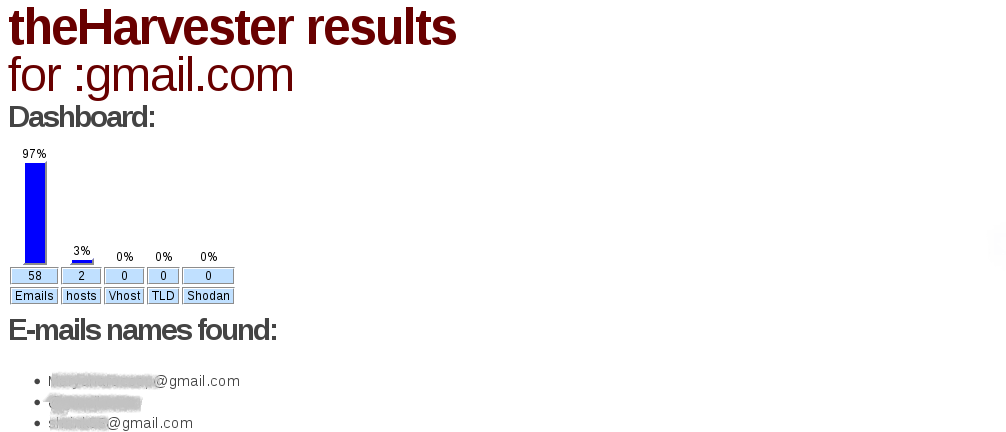
Above picture shows an html output generated by harvester.
Thats it for this tutorial hope to see you next time!
Available link for download
Subscribe to:
Posts (Atom)